The useful order
Choose for fit first, movement second and finish third.
A good sit–stand desk must accommodate the user at both seated and standing positions, remain composed at the highest working height and support the equipment without operating near its limits.
| Priority | What to confirm | Why it matters |
|---|---|---|
| 01Height range | Useful keyboard height when seated and standing | A frame must fit the person before it fits the room. |
| 02Stability | Behaviour at the highest working position | Monitor movement is more noticeable when the frame is extended. |
| 03Load and geometry | Worktop, displays, arms and equipment placement | Leverage matters alongside total weight. |
| 04Serviceability | Access to controls, motors and replaceable cables | The system should remain understandable after installation. |
The working surface
Choose width and depth around the equipment—not an empty desktop.
| Worktop direction | Often suits | Check before deciding |
|---|---|---|
| 120–140 cm | Laptop or one modest display | Arm clamp, dock position and writing space |
| 140–160 cm | One or two displays in a balanced setup | Task light, speakers and side clearance |
| 160–180 cm | Dual displays, ultrawide or creative equipment | Frame compatibility and room circulation |
Depth matters as much as width. A shallow worktop can force a large display too close to the user or leave no room for a monitor-arm base. It can also reduce the usable distance between keyboard, screen and task lighting.
Below the surface
Read the frame specification as a working system.
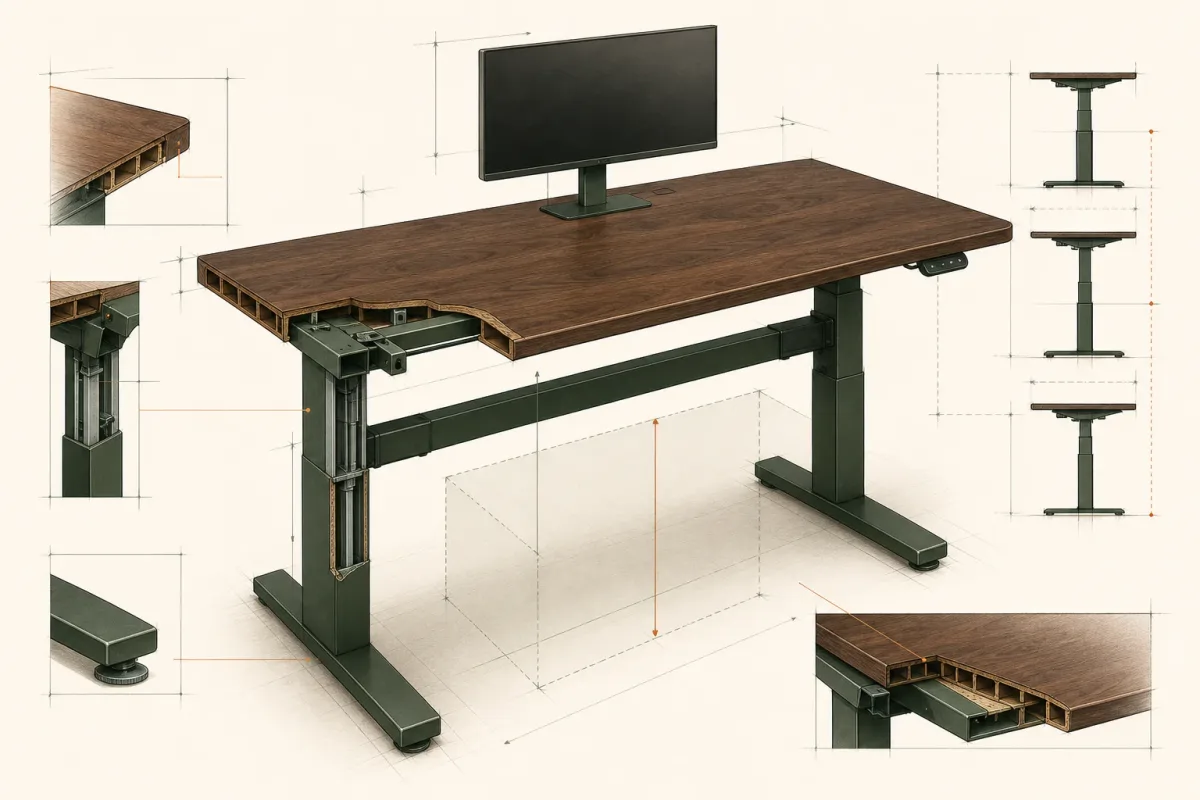
- Height rangeConfirm the actual worktop height after the chosen top is added, not only the bare-frame specification.
- Standing-height stabilityMovement at maximum extension matters more than a showroom impression at sitting height.
- Motor architectureMotor count is one signal; synchronisation, rigidity, control quality and service support matter together.
- Load capacityAllow practical headroom for the worktop, arms, displays, computer and items added later.
- Memory and cable accessUseful presets should be easy to repeat, and the frame should leave a clear route for mounted power and moving cables.
Prepare before purchasing
A concise sit–stand desk specification brief.
By this point, the useful brief should fit on one page. It does not need every possible preference—only the information that changes the recommendation.
- RoomAvailable width, depth, circulation and power-outlet position.
- PersonSeated and standing elbow-height measurements and any shared use.
- EquipmentDisplays, mounting method, computer, dock, lighting and charging.
- SurfacePreferred dimensions, material, edge treatment and cable route.
What deserves caution
Specifications that look complete but answer very little.
Be careful when a desk is described almost entirely by maximum load, speed or the number of presets. Those figures do not explain stability at working height, long-term parts support, compatibility with the chosen worktop or how cables will move.